Showing posts with label digital art. Show all posts

2023-02-01

Telling stories with AI generated Images

 With Nightcafe, and especially with DALL-E2 you can generate as many cute animal characters as you like. Often the results show particular gestures or poses or have very special expressions on their faces.

Here's an example:


 I had the words "hen" and "jewels" combined. Now, looking at the image I wonder: Do we have a hen queen here? Or is she proudly presenting a gift from her cock? Where do the jewels come from? Will she be happy with them or will they bring her bad luck?

So AI art produces creative juice in two ways: You have to create images in your head and describe them in a way that AI produces the digital image. Then, looking at the image, your creative juice flows again and begins to tell stories...


2023-01-18

Easter bunny - from pixar style to glass bunny

 Easter is still some weeks away, but nevertheless I felt like creating an easter bunny. So I opened DALL-E2 on nightcafe and inserted the following prompt:

photo of a cute laughing Easterbunny pixar style, highdefinition, 8 K, trending on artstation standing on green grass

and I got that image:


Well, isn't that a cheeky laugh? Probably the guy is laughing about silly hens which didn't look after their eggs...
So I thought about transforming that guy into something of an Easter decoration. I changed the prompt into:

blue glass sculpture of a cute laughing Easterbunny pixar style, highdefinition, 8 K, trending on artstation

and got this little bunny glass statue:

By the way, I tried the same prompt with Stable Diffusion 1.5 and I thoroughly failed. ...


2023-01-16

Evolving an image in Nightcafe

 Actually there are two methods of evolving:

  1. Evolving in DALL-E2: You copy your image with the existing prompt and add text or remove text.
  2. You create an image with DALL-E2 and evolve it with Stable Diffusion. I do it when I notice that DALL-E2 doesn't handle a subject as well as Stable Diffusion would. In that case, you provide Stable Diffusion with a socalled starter image.
Here is an example:
I created these four images in DALL-E2:

As you can see, all of them have certain flaws: either the crowns do not look well on the heads, or the faces themselves have flaws. 
From looking at other people's images on Nightcafe I noticed that Stable Diffusion seems to render portraits better than DALL-E2 in many cases. So I decided to evolve one of the images. I clicked on the image I wanted to evolve and then on the evolve button. Now I had to change the creation method from DALL-E2 to Stable Diffusion. 
Here I changed the prompt a bit, adding "photo of a beautiful young woman" in order to get a decent looking face. I then chose 4 images and clicked on Create. And here's the result:

It looks quite different than the starter image, doesn't it?


2023-01-11

The Magician

 Nightcafe Studio runs daily challenges, and the challenge of 10 January 2023 was "Magicians". 

I wanted to participate in this challenge, so I opened DALL-E2 and inserted the following prompt:

"Photo of a magician in a long blue robe, with a long white beard, standing in front of a fireplace, reading an old book"

Here's the result:

Well, the magician looks more like a nice elderly man in a cosy blue bathrobe, reading out of a fairy tale book.Not  necessarily that what I intended.

So I changed the prompt a bit. It now reads:
"photo of a magician in a long blue robe and a black magic hat , with a long white beard, standing in front of a fireplace, reading an old book, gloomy atmosphere, hyperdetailed, photorealistic, intricate"

And yes, this prompt created some changes!


2023-01-04

Nightcafestudio: Working with Dall-E2

 I've been experimenting on Nightcafe Studio for quite some time now (two months, I think), and I have been using Stable Diffusion, one of Nightcafe's algorithms, for most of the time. However lately I began to experiment with Dall-E2. It works a bit different, and it has less ways to manipulate the outcome. But it can understand things like "close up", "extreme close up and silmilar photography words.

Here are two results:

Elephant # 1 with the prompt: Close up elephant at the lake 4K hyperrealism HDR


and here's elephant #2:
I used the prompt: Medium Close up elephant at the lake 4K hyperrealism HDR


I must say, I am quite pleased with the outcome!


2023-01-01

Nightcafe: Two versions with the same prompt

The generation of images in Nightcafe studio is managed by various parameters:

  1. The text prompt
  2. The version of Stable Diffusion
  3. The Sampler
  4. The Seed number


By the way: If you ask me, what parameters 2, 3 and 4 are - I don't know it. I am not a Techie. In Nightcafe you can select vario
us versions, samplers and you can change the number of the seed.
Let me give you an example:
The image below was generated with
  • the text prompts: "castles on the moon with spaceships" and "neo-impressionism expressionist style oil painting, smooth post-impressionist impasto acrylic painting, thick layers of colourful textured paint"
  • Stable Diffusion 1.5
  • The Sampler K_LMS
  • and the Seed number: 2127287723


And here comes the 2nd version of the image:


The text prompts and the Sampler are the same. But:
  1. It is Stable Diffusion 2.0
  2. Seed number is 2127287720
And what a difference between those two images! I cannot say which of them I personally prefer. I really like both of them.

So: Images in Nightcafe or any other AI tool are not generated by just hitting the button "create". Often it is a very time-consuming and tedious process!


2022-12-27

Three pink roses


I also created this image with the use of Nightcafestudio. These roses can not only be used for creating a nice birthday card, or will look beautiful on a calendar page, they also can serve as reference for a traditional painting or drawing!


2022-12-21

Diamonds


The AI Art Generator Nightcafestudio does a great job - but sometimes the result needs a bit of post-processing. The image above lacked contrast and sharpness (only a wee bit, but I was not satisfied with the result of the rendering). So I downloaded it and opened it in GIMP in order to work on the contrast and the sharpness. 


2022-12-12

Clouds | Generated with Nightcafestudio


Experimenting with Nightcafestudio is fun. Sometimes I have to go through various fails, but in the end I get something presentable. 
 

2022-10-21

Just playing with gradients in Inkscape


Not too long ago I hated the gradient tool in Inkscape because every time I tried to do something with it it did something else - or nothing at all. However I am a quite stubborn person, so I kept on trying. And then, suddenly, I realized that I could actually handle it. Don't get me wrong, I am far from perfect with it, but at least I know what I am doing and more and more I have fun playing with it. Now I am a bit of a traditional artist as well - I love to paint abstracts with acrylics, gouache or watercolour, even markers. So I am now experimenting how to do abstracts with Inkscape and the gradient tool. Again, I am far from perfect. But I am having fun!


2022-08-17

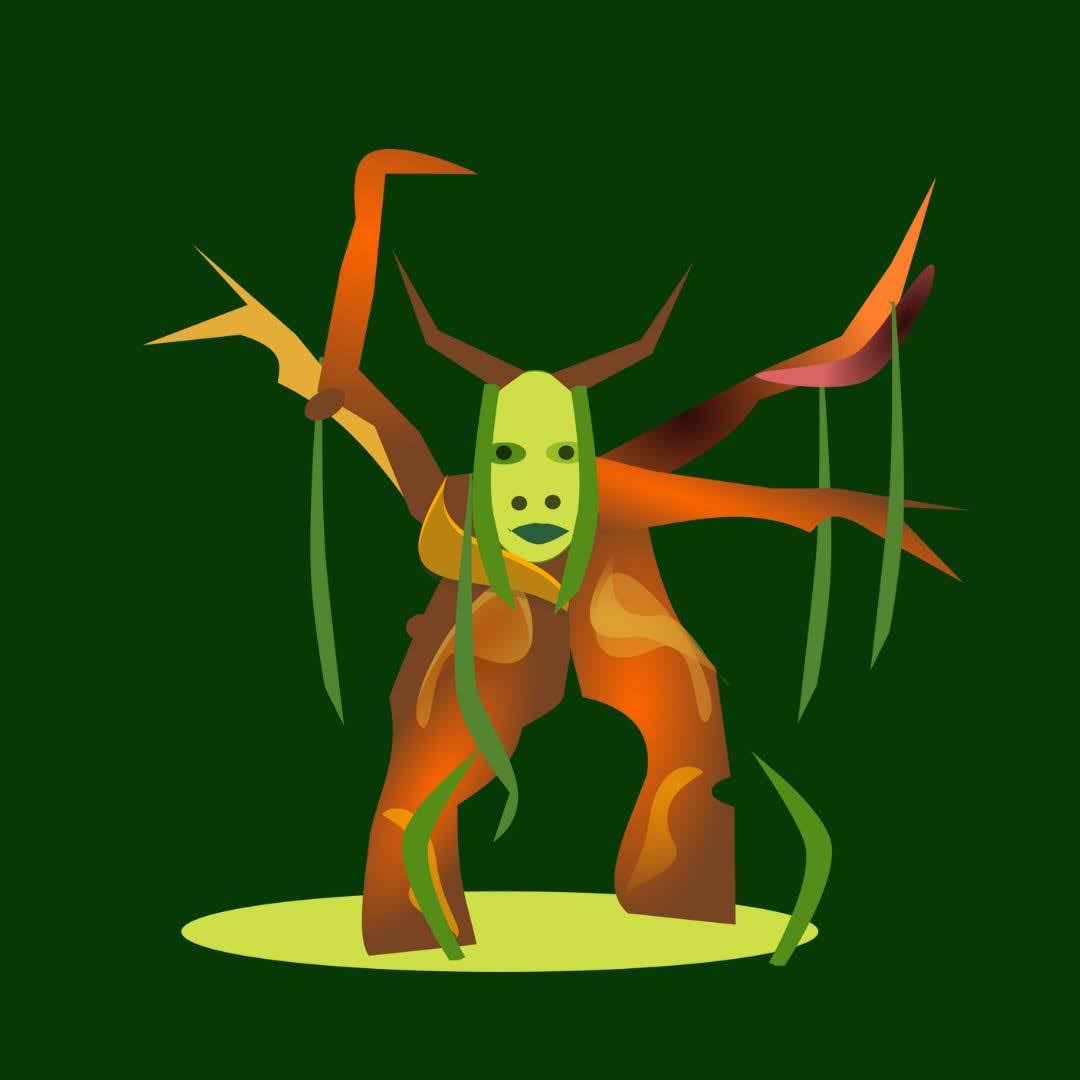
Tree character done with Inkscape

Tree character

Some time ago I thought that doing traditional paintings or drawings and doing digital art with Inkscape are opposite to each other. You can do either the one or the other. I do not think anymore that it is true. The origin of this tree character was a sketch done with pencil and then a gouache painting. But I wanted to go a step further and create a digital piece out of it. I scanned it in, openened it in Inkscape and the result of this doing is what you can see above. It is not a copy, it it something different, but it definitely has its origins in traditional art.


2021-05-31

Rocks


A few days ago I managed to mess up a digital piece in a way that it could not be reworked. I must admit that I was a bit frustrated and stressed. However the next day I decided to begin a new digital painting. I used two layers, one for the foreground with the grass and the rocks, and one for the background which I created with the airbrush brush. I also tried a stamp brush for the first time - the patches of grass are done with it. 
 

2021-05-14

Portrait of a Fantasy Creature


Doing this portrait was quite a challenge for me. I didn't have a reference image. At first I tried to do a sketch first, but failed. I was thinking of giving up the project, but then I changed my work process. Instead of thinking in lines I began to think in shapes which I then refined. It was like doing a sculpture, with the advantage of being able to add something again when I took away too much. 
 

2021-05-07

Landscape with dead Wood


This is another piece of the series "Finishing unfinished pieces". I discovered it a day ago on my hard disk and decided to transform it into a landscape with dead wood. I worked on it with my touchpad and the graphic tablet. 


2020-06-09

Indian Warrior


In the beginning I just wanted to put into practice the things I had been learning via YouTube, because it doesn't make sense just watching videos. You have to try and do it yourself, then you will notice what you haven't understood. During the process of this digital painting the focus changed - I had a certain image in my head which I wanted to bring on the screen with Inkscape. 

2016-05-15

Ring of Stones - Digital


It has been a long time ago since I did a digital painting. However, I have subscribed to a lot of channels which do digital art, and just a few days ago I actually watched one of these videos. I not only watched more than one but also felt the urge to do something digital myself.

As I didn't want to begin from scratch I had a look at one of my scanned paintings and thought "why not try to enhance that painting digitalloy?" And I did. Doing this I learnt two things:

  1. Digital art takes at least the same time as traditional art - if not even more. It is important to give onself time to experiment and play. 
  2. Look for your lightest lights and your darkest darks - something that is important for traditional art - but also for digital art. And the advantage of a digital painting is that you can darken your paintings without having to fear to darken them too much - if that is the case just go over the spots again.