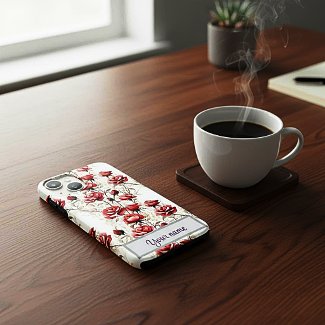
Zazzle offers some mockup images for certain products, but not for every product. If you want to present your Iphone case design, for example, you better look somewhere else for a nice mockup.
Now there is a platform called placeit which offers free phone case mockups, but you don't want your Iphone design mockup look like many others, do you?
Well, I found a solution for this. There is a platform called "Dynamic mockups". There are several ways to create a product mockup, but I use it the following way:
- I upload the product in question to the platform.
- I click on the "scene" button. A lot of scenes are offered now, I tried some of them but wasn't very pleased with the result. So I go to the bottom of this category. There you can insert your own scene prompt.
- Now you can just insert a description of your scenery, or you can ask AI for it, copy the text you get and insert it.
- As a free user you have three images daily. Once it happened to me that I wasn't satisfied with the three results at all and had to try the day after.
- In case you are satisfied with the result you can download the image and upload it to Zazzle.

No comments:
Post a Comment